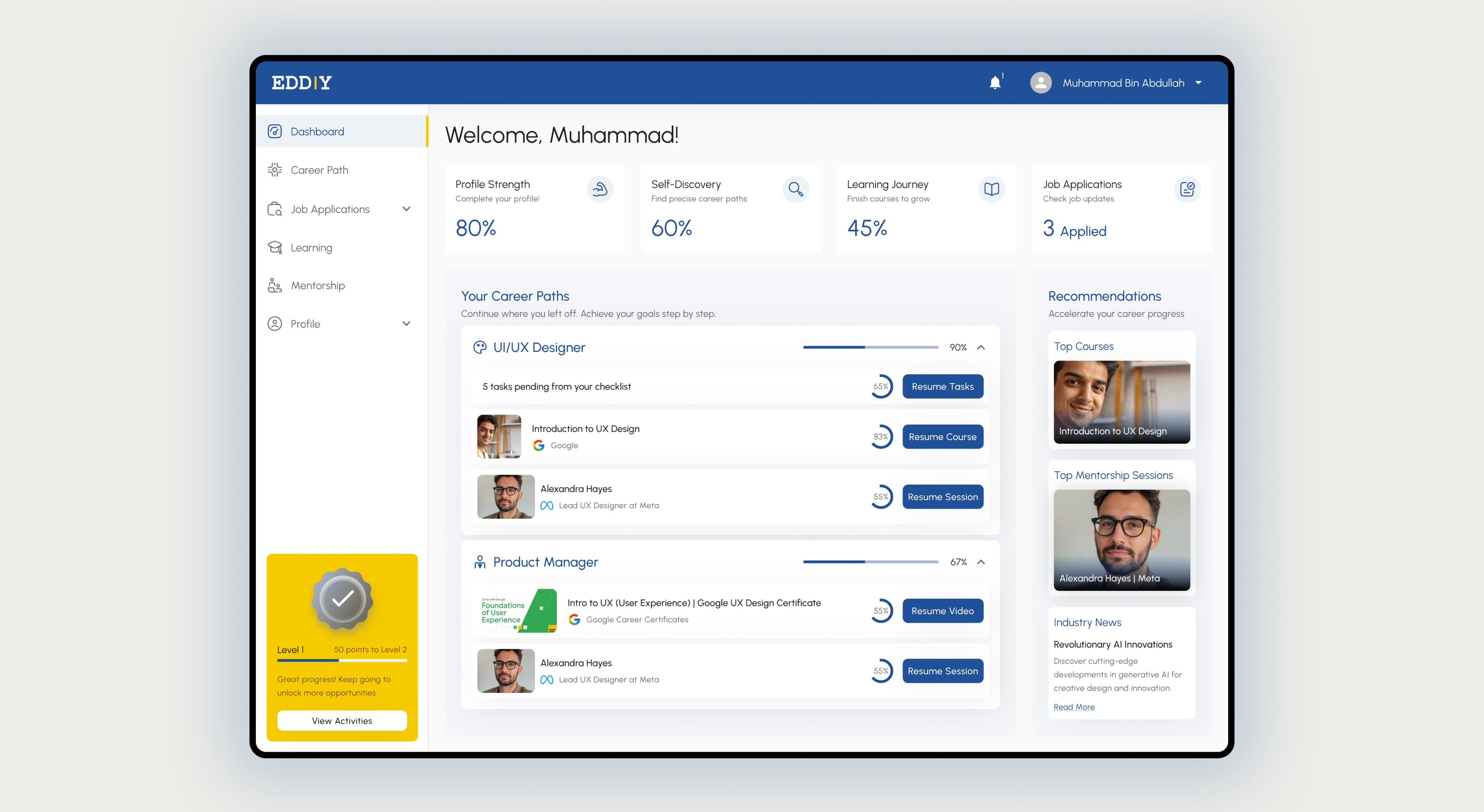
Case study 03 · EdTech · Career platform
A career-guidance platform connecting Candidates, Universities, and Industry employers, built on a mature Material-UI design system. I designed all three role-specific experiences end to end: 135+ screens spanning onboarding, dashboards, and day-to-day workflows for each audience.
01 · Problem
Eddiy connects three parties in the career pipeline that rarely share one product: individual candidates building a profile, universities managing entire student cohorts, and employers running a hiring pipeline. Each role's very first task after signing up is nothing alike: a candidate needs to prove who they are with documents, a university needs to import hundreds of students at once, and an employer needs to post a job and see a pipeline immediately. A single generic onboarding flow would have failed all three.
I designed all three role-specific experiences end to end on top of an existing, mature Material-UI component library rather than starting the visual system from scratch: the challenge wasn't inventing new UI primitives, it was applying a large, enterprise-grade system correctly and consistently across three genuinely different products living under one brand.
The risk to design against was fragmentation: three onboarding flows built by three different logics could easily have felt like three different products wearing the same logo. Holding a shared structural pattern (basic info → role-specific setup step → load dashboard) while letting the middle step differ completely by role was the core design decision.
02 · Design approach
For Candidates, the setup step is document verification: upload a resume, transcript, degree, and character certificate, with real per-file states (uploading, failed, file-too-large) and a clear split between documents the candidate uploads themselves and ones already shared by their university. It closes with a lighter, forward-looking step, "Discover your Personality," so onboarding ends on momentum rather than paperwork.
For Universities, the setup step is entirely different: after basic university info and inviting staff team members, admins bulk-invite entire student batches via CSV, with each batch carrying its program, school, and year of study. This is the one onboarding flow designed for bulk, institutional data entry rather than a single person's profile: a university admin might be importing a batch of 700+ students in one action, so the flow prioritizes clear progress feedback and easy correction over friendly copy.
For Industry employers, setup is organization info and team invites, landing directly on a recruiting dashboard (active job count, total applicants, applications in review, and successful hires as stat cards), with a job-postings table ready for "Add New Job." Employers get to their actual job (evaluating candidates) in the fewest possible steps.
03 · Design
The candidate document-upload flow shows every realistic state a file upload needs (in progress, failed, too large) rather than only the happy path, because document verification is often the single most anxiety-inducing step for a student and silent failures erode trust fastest there.
University batch invites needed to handle hundreds of rows reliably, so I designed CSV bulk-invite as its own complete flow, with batch metadata (program, school, total students) shown clearly, rather than bolting bulk actions onto a single-row invite pattern built for one person at a time.
The Industry dashboard leads with the four numbers a hiring manager actually checks first (active jobs, applicants, in review, hires) before any table, so the value of the platform is visible in the first second, not after navigating into a jobs list.
Every role draws from the same Material-UI-based component set (forms, tables, cards, navigation) so switching between the University and Industry experiences (as I regularly did while designing) never felt like switching design systems, only switching content.
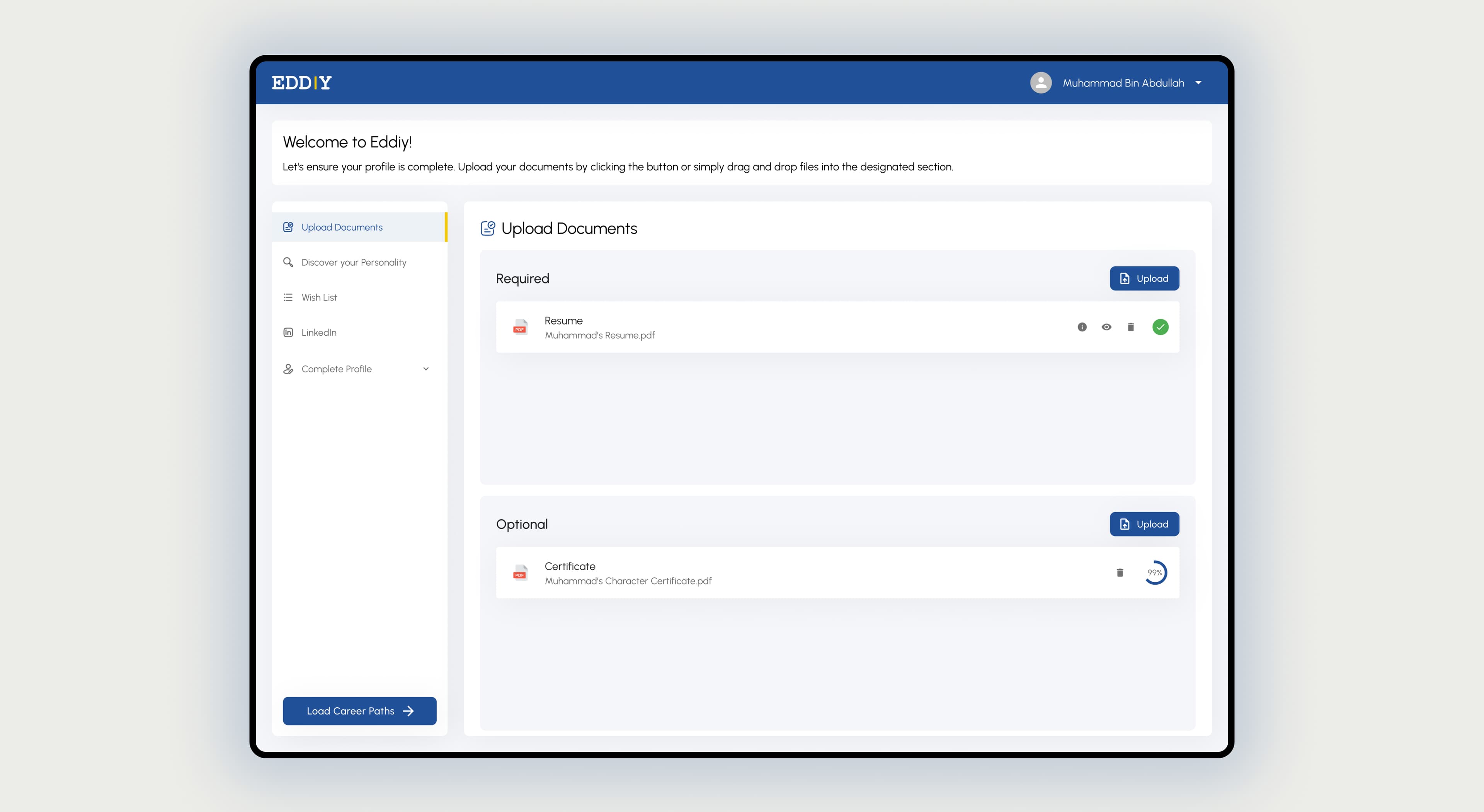
Document upload with real per-file states: uploading, failed, file too large.
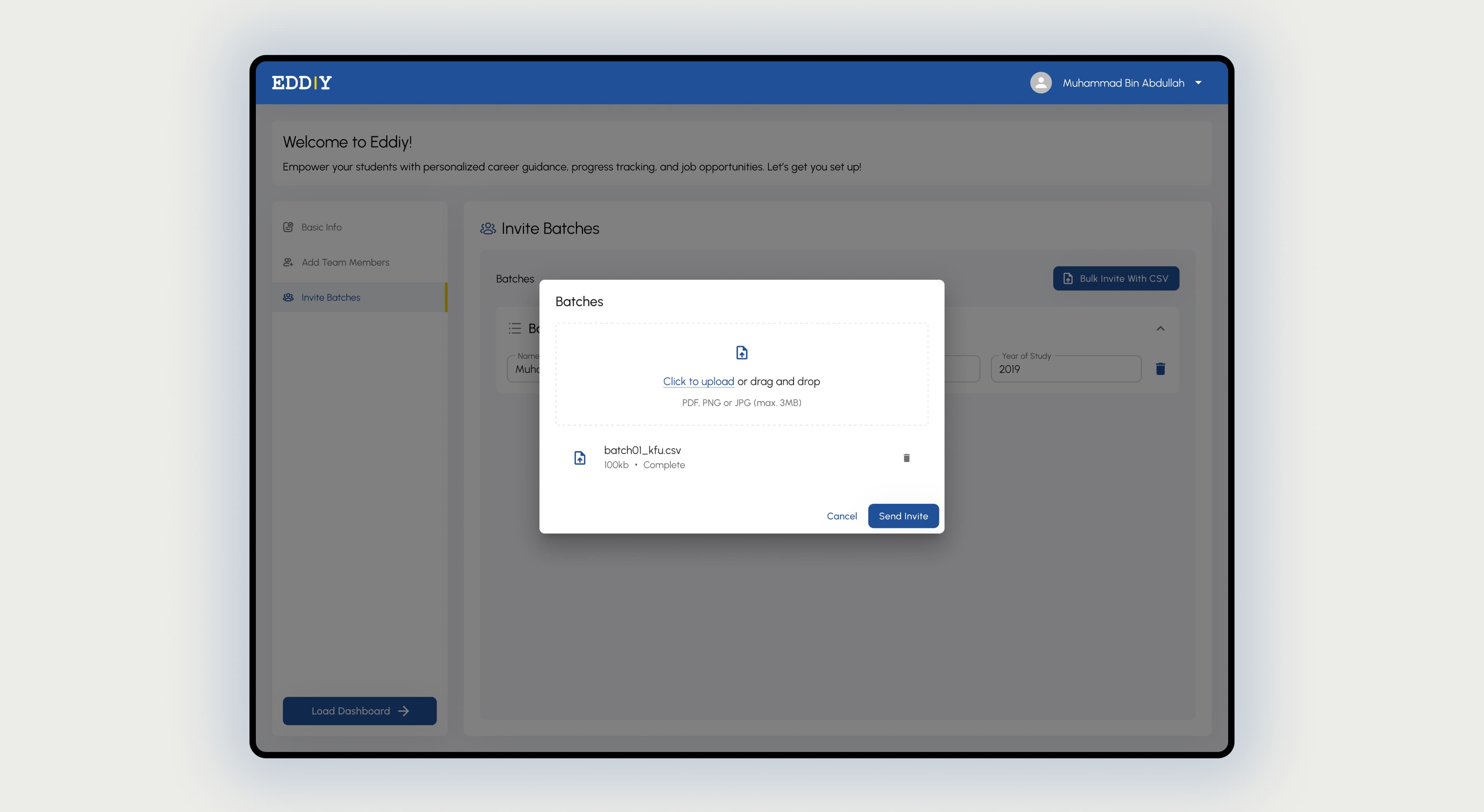
University batches are invited in bulk via CSV, with program and cohort metadata.
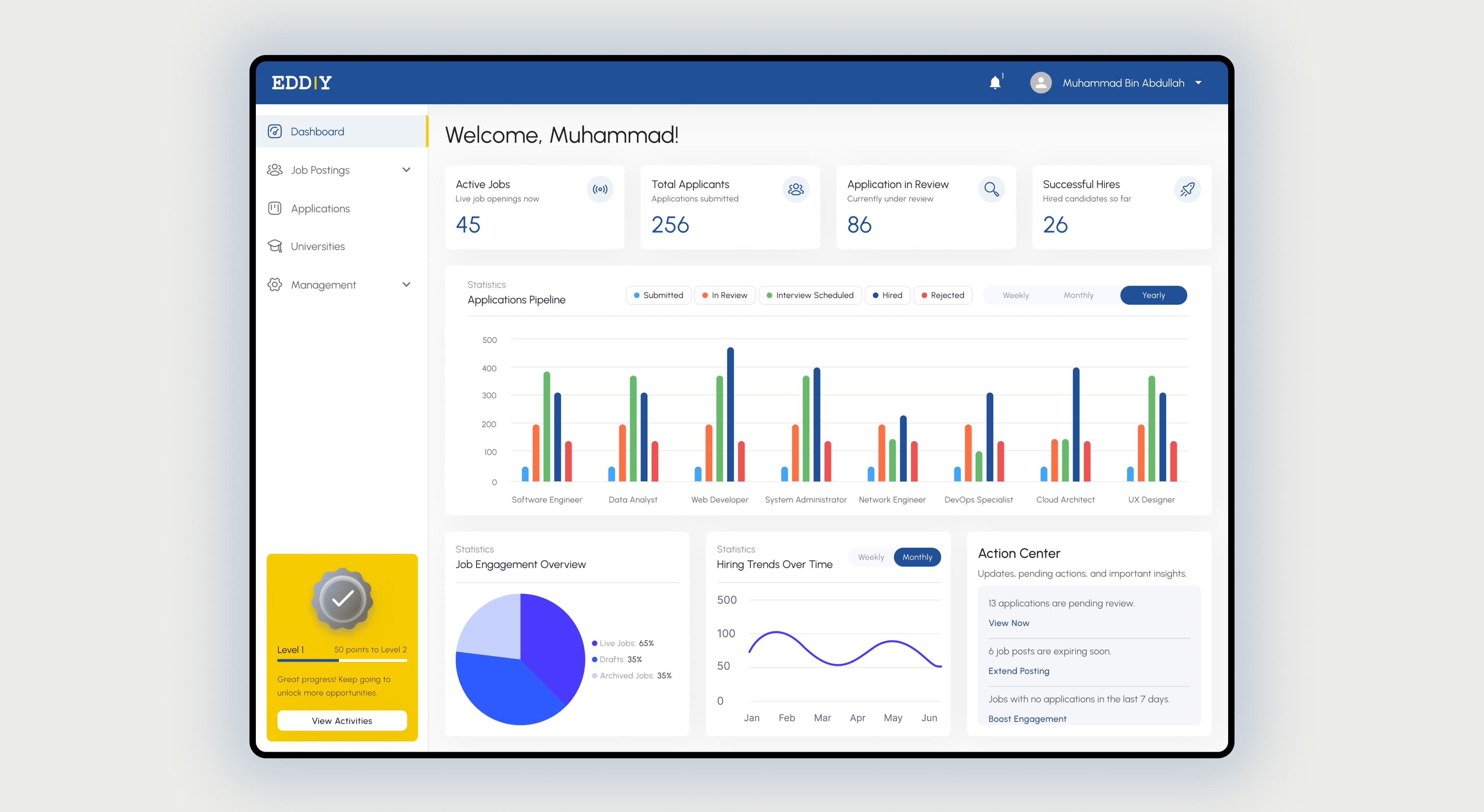
The Industry dashboard leads with pipeline stats before any table.
04 · Impact
screens designed end to end across the three role-specific experiences (Candidate, University, Industry)
fully distinct onboarding flows sharing one structural pattern and one component system
shared Material-UI-based design system carrying every role without visual drift
Eddiy shipped three coherent products (for candidates, universities, and employers) that share a visual language without sharing a workflow, which was the actual design problem underneath the "three audiences" framing. The university bulk-invite and candidate document-verification flows in particular had to be designed as first-class systems, not variations of a generic onboarding template, because their underlying data (a batch of 700 students vs. one person's transcript) is fundamentally different in shape.
What I'd carry forward: for a multi-role platform, the shared thing shouldn't be the flow: it should be the pattern behind the flow. Basic info → role-specific setup → dashboard held across three unrelated middle steps because the pattern was structural, not literal.